The AI headshot studio · Est. 2026
Get studio-quality
executive headshots
in seconds.
Take a few guided selfies, choose your style, and LinkPro develops professional portraits for your LinkedIn, resume or personal brand. No photographer, no studio, no waiting.
Free studio preview, no account required
How it works
From selfie to signature portrait
Take a few guided selfies
The camera walks you through 8 quick poses: straight on, left, right, up, down, and a smile to finish. Live tips tell you when to move closer or find better light.
Direct your shoot
Pick your industry, backdrop and wardrobe. With Unlimited you also choose expression, lighting, colour and framing, so the result matches your field.
Pick your best shot
In seconds the studio develops your headshots. Pick your favourite, render it in HD and save it to your device.
Results
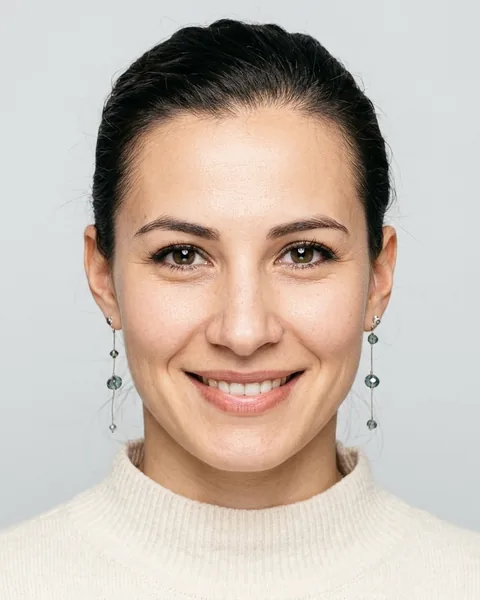
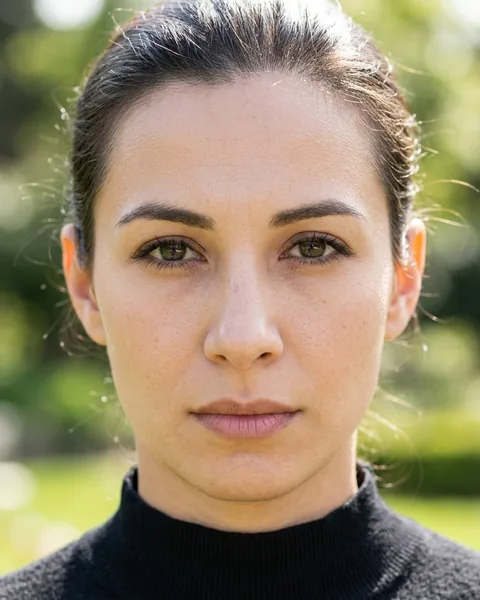
From a selfie to the portrait you need
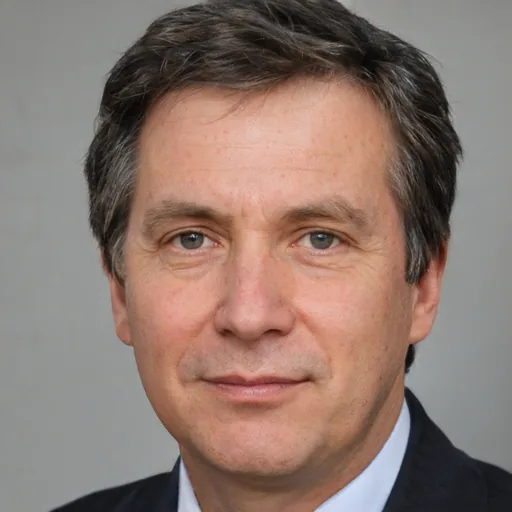
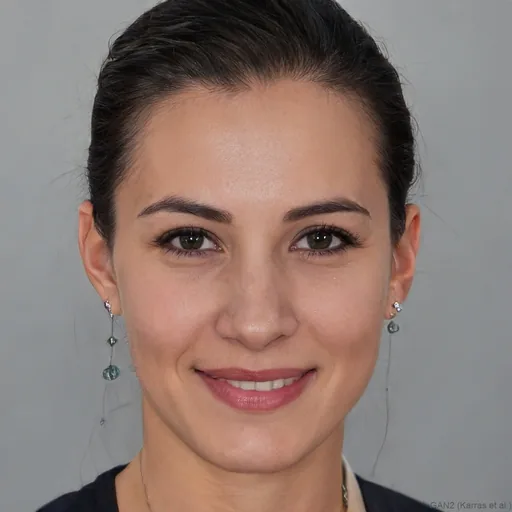
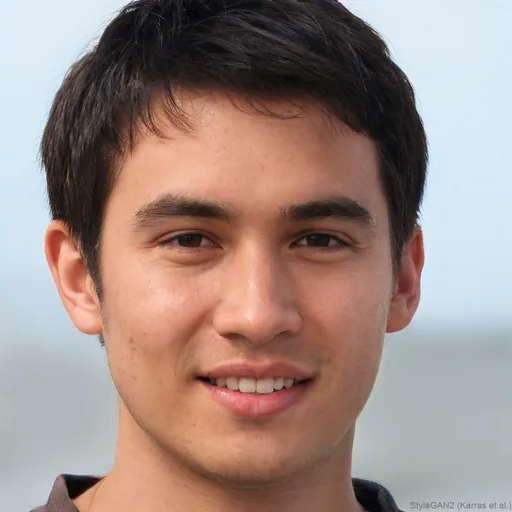
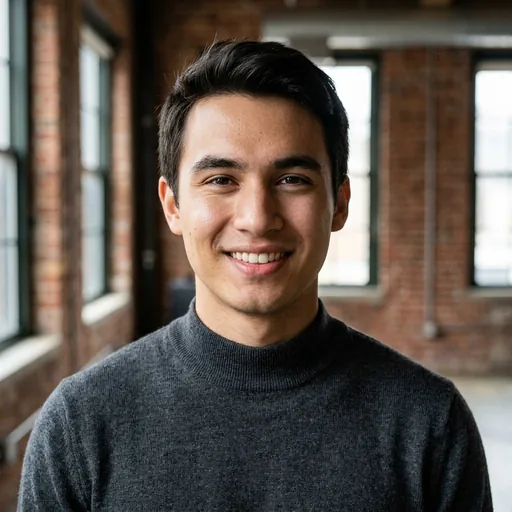
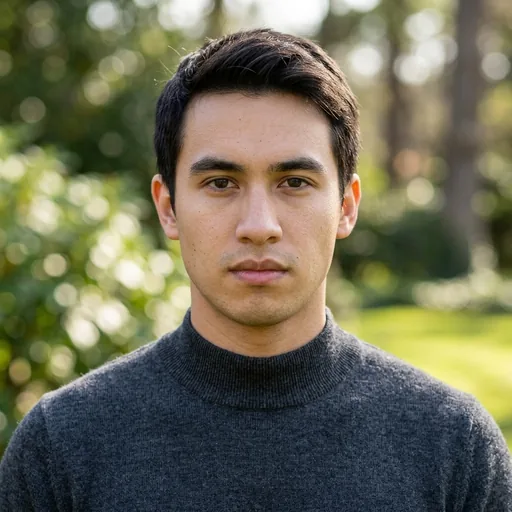
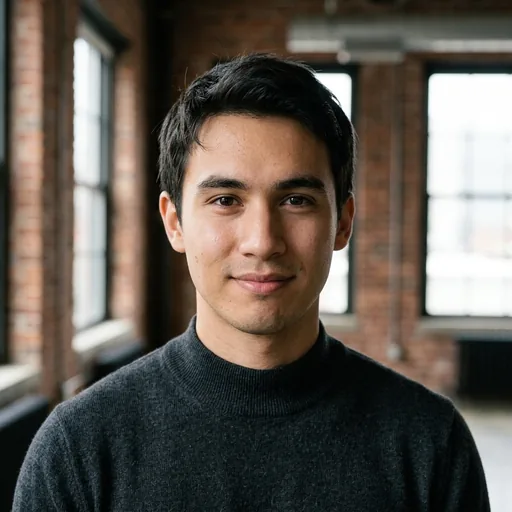
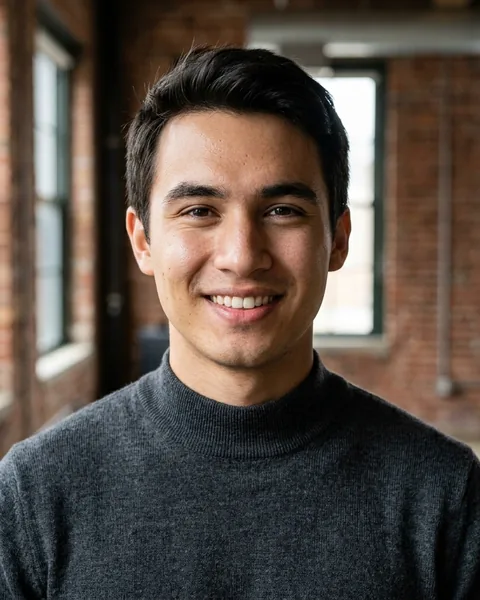
Three examples made with LinkPro: the guided selfie on the left, and some of the headshots the studio developed from it, each with its own backdrop.






Why LinkPro
A professional studio, in your pocket.
A traditional shoot means booking, travelling, waiting and paying per photo. LinkPro gives you an art-directed session wherever you are, as often as you like.
No photographer needed
No booking, no travel, no studio fees. Your phone is the studio, and the session takes minutes.
Guided capture
On-device face detection checks your angle, distance and lighting live, so the AI starts from good material.
You direct the shoot
Choose the backdrop, wardrobe, expression, lighting, colour and framing yourself.
Unlimited restyles
Not quite right? Restyle any headshot with new options, or start a new session at any time.
Let your friends decide
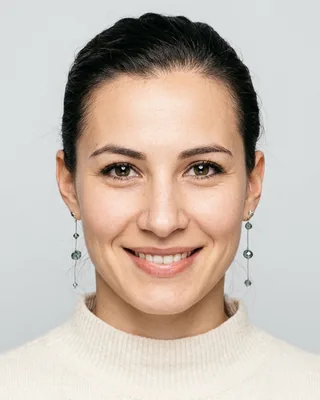
Share a private poll link and let friends, colleagues or your mentor vote for your best headshot.
Private by design
Photos travel over encrypted channels and are never sold. Delete your account and media from the app whenever you like.
Art direction
Dressed for your industry
Whether you work in a boardroom, a lab or a creative agency, set the scene for the role you want.

Wardrobe
- Formal
- Business Casual
- Creative/Modern
- Casual
Expression
- Confident
- Warm smile
- Subtle smile
- Serious
Lighting
- Soft studio
- Dramatic
- Natural light
- High-key
Colour
- Natural colors
- Black & white
- Warm tones
- Cool tones
Framing
- Close-up
- Head & shoulders
- Half body
Vote for your
favourite headshot
 Voted


I've narrowed it down to 4 shots.
Vote for your favorite here:
linkproapp.ai/survey/…
Friend polls
Can't decide? Let them pick the winner.
It's hard to judge your own photos. Select your favourite shots, share one link, and the people who know you vote for the best one, right in their browser.
- One link, any app. Share it by WhatsApp, iMessage, email or Slack.
- No account to vote. Friends tap a photo and submit. That's it.
- Live results. Get notified in real time as votes come in.
Pricing
Unlimited professional studio
Start free. Buy a single headshot, or go unlimited by the week. Cancel anytime.
Studio Preview
Free
See your results before you pay.
- 1 guided photo session
- 3 watermarked previews
- Style, industry, backdrop & wardrobe
- No account required
Weekly Plan
Unlimited
Billed weekly. Cancel anytime.
- Unlimited headshot generation
- High definition quality
- Unlimited photo shoots
- Unlimited restyles and fine-tuning
- Full art direction: expression, lighting, colour, framing
- Friend polls with live vote counts
One-time purchase
Single Headshot
Pay once. No subscription.
- Your favourite headshot from a session
- High definition quality
- No watermark
Prices are shown in the web app in your local currency. Secure checkout by Stripe.
Guides & comparisons
Everything about
professional headshots
- How to Take a Professional Headshot With Your Phone (2026 Guide)
- What to Wear for a Professional Headshot: Colours and Outfits
- LinkedIn Profile Picture: Size, Framing and 10 Tips Recruiters Notice
- AI Headshot vs Photographer: Cost, Quality and When to Choose Each
- Professional Headshots in Switzerland: CV Photo Rules, Prices and Tips
- Application Photos in Germany: Bewerbungsfoto Rules, Size, Prices and AI
- CV Photos in France: Rules, Format, Prices and AI Headshots
- CV Photos in Italy: Rules, Format, Prices and AI Headshots
- AI Headshots for LinkedIn: What's Allowed and How to Choose
- Most Realistic AI Headshots: What Makes One Look Real
- Best Headshot Services for Job Seekers: 5 Options Compared
- CV photo in Zurich: prices, studios and tips
- CV photo in Geneva: prices, studios and tips
- CV photo in Lausanne: prices, studios and tips
- CV photo in Bern: prices, studios and tips
- CV photo in Basel: prices, studios and tips
- CV photo in Berlin: prices, studios and tips
- CV photo in Hamburg: prices, studios and tips
- CV photo in Munich: prices, studios and tips
- CV photo in Cologne: prices, studios and tips
- CV photo in Frankfurt: prices, studios and tips
- CV photo in Stuttgart: prices, studios and tips
- CV photo in Düsseldorf: prices, studios and tips
- CV photo in Leipzig: prices, studios and tips
- CV photo in Dortmund: prices, studios and tips
- CV photo in Essen: prices, studios and tips
- CV photo in Paris: prices, studios and tips
- CV photo in Marseille: prices, studios and tips
- CV photo in Lyon: prices, studios and tips
- CV photo in Toulouse: prices, studios and tips
- CV photo in Nice: prices, studios and tips
- CV photo in Nantes: prices, studios and tips
- CV photo in Montpellier: prices, studios and tips
- CV photo in Strasbourg: prices, studios and tips
- CV photo in Bordeaux: prices, studios and tips
- CV photo in Lille: prices, studios and tips
- CV photo in Rome: prices, studios and tips
- CV photo in Milan: prices, studios and tips
- CV photo in Naples: prices, studios and tips
- CV photo in Turin: prices, studios and tips
- CV photo in Palermo: prices, studios and tips
- CV photo in Genoa: prices, studios and tips
- CV photo in Bologna: prices, studios and tips
- CV photo in Florence: prices, studios and tips
- CV photo in Bari: prices, studios and tips
- CV photo in Catania: prices, studios and tips
- LinkPro vs Aragon AI: Which AI Headshot Generator Should You Use?
- HeadshotPro Alternative? LinkPro vs HeadshotPro Compared
- LinkPro vs ChatGPT for Headshots: Should You Just Prompt a Chatbot?
- LinkPro vs Gemini (Nano Banana) for Professional Headshots
- LinkPro vs Remini: Which App Makes Better Professional Headshots?
- LinkPro vs BetterPic: Instant Headshots or 4K Packs With Retouching?
- LinkPro vs GIO: Two AI Headshot Apps Compared
FAQ
Questions, answered
How does LinkPro work?
You take a short series of guided selfies in the app and choose a style. Our AI studio adapts to your face and develops professional headshots in your chosen backdrop, wardrobe and lighting.
Can I try it before paying?
Yes. Your first session is a free studio preview: you get 3 watermarked previews before you create an account or subscribe.
Can I upload existing photos?
No. LinkPro uses a guided selfie session instead, so every angle and lighting condition is checked live. That gives the AI much better material than random old photos.
What does the friend poll do?
Select a few headshots and share a link. Friends vote in their browser with no app or account needed, and you can get a notification each time a vote comes in.
What does “unlimited” mean?
Unlimited subscribers can generate, restyle and reshoot as often as they want. A fair-use policy may briefly delay generation after very heavy use.
Can I cancel anytime?
Yes. The weekly Unlimited plan renews until you cancel it, and you can cancel at any time by writing to [email protected]. It stays active until the end of the week already paid.
Which languages are supported?
The app is available in English, French, Italian and German.
Your next opportunity
starts with a first impression.
Open LinkPro in your browser and enter the studio. Your first preview is on us.